



Help › Creating your events › Creating a new event
Creating a new event
Join us as we step through creating a new event!
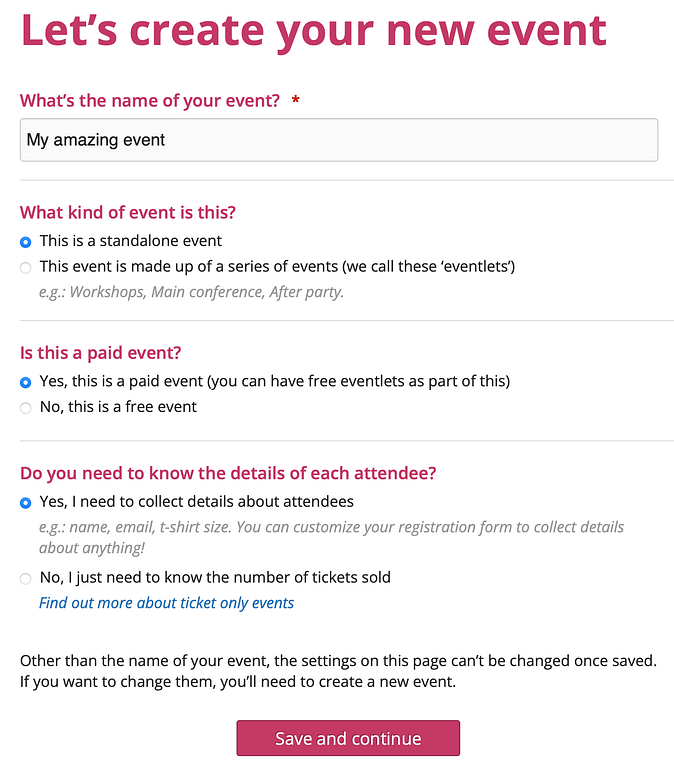
The first thing you need to do when creating your event is to build a registration form so that people can register. To start, click on the “Create an event” button.
The next step is choosing whether it’s a standalone event or whether it’s made up of what we call ‘eventlets’. An 'eventlet' is simply something you want the attendee to register for (and pay for if it's a paid event).
Next you'll be asked whether it’s a paid or a free event; and whether you're collecting details about attendees or not.
For more information about events where you just need to know the number of tickets sold, please see our Help article, 'A "tickets only" event'.
After clicking the "Save and continue" button, you'll either be taken to the "Creating a standalone event" page, or the "Creating an events with eventlets" page.