



Help › Creating a Lil Regie event › Emails for your event
Emails for your event
Pushpay Events Team
Revised
Lil Regie sends out a number of confirmation emails to those who register for your event.
Each person registering will receive a confirmation email with details of their registration.
In the Advanced section you can preview the emails that get sent, as well as customise the wording of individual emails.
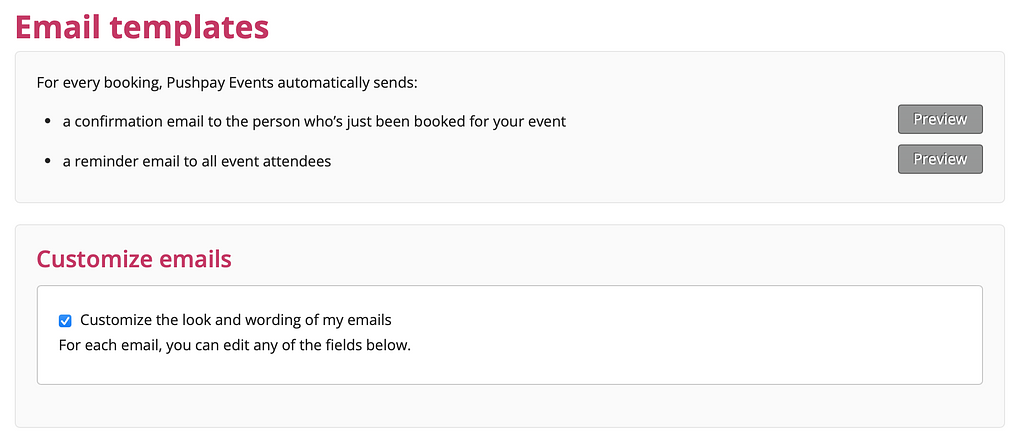
If you'd like to customise your emails, just check the box to expand the form, and update as required! The form includes a handy list of placeholders that will allow you to insert user-specific data into the email. You can then preview the email on-screen, or send it to your inbox to check there.
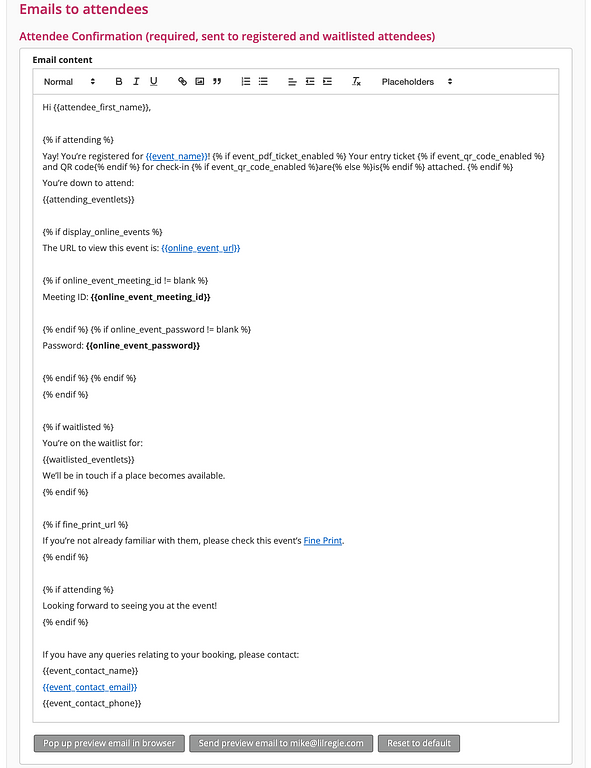
(Note the above screenshot shows the use of conditional text- the display of text based on certain conditions. For example, if the recipient of the email is an attendee, then that associated text will display. But if they are waitlisted, different text will display in the email they receive. It's important to note that the preview emails will include both of these, so don't be alarmed if you see them together at this stage!)
Also, any text within the curly brackets { } is code. Please don't edit that!
If you've made a mistake, you can always just "reset to default" to start over again!
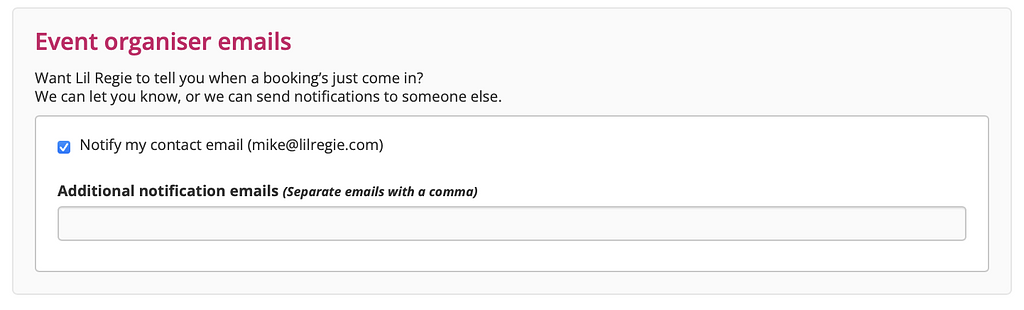
To set up notification emails, which let you know when a person has registered for your event, you'll need to go to the Advanced > General tab. Here, you can nominate the email recipient (either the default event email, or someone completely different).
Once you’re happy with the wording of your emails, click the “Save” button and you’re almost there!
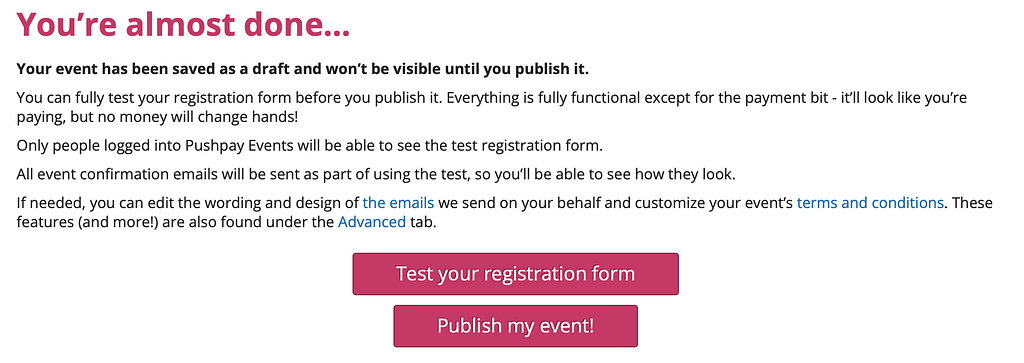
You can have a final preview of how the form will look. Or go back and make some more changes. Or publish! Once your event’s published, people will be able to register for your event.