



Help › Creating a Lil Regie event › Collecting payment
Collecting payment
Pushpay Events Team
Revised
Now that your form’s designed, you’ll decide how you want to collect payment from your attendees.
Online payments are collected through your Pushpay account. There's also the option to send out invoices to those registering.
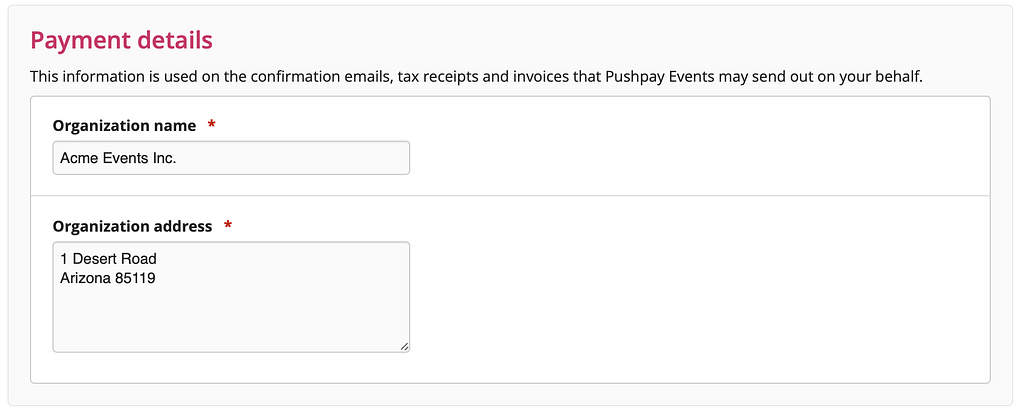
Payment details
First off, we'll collect some information about who's running the event.
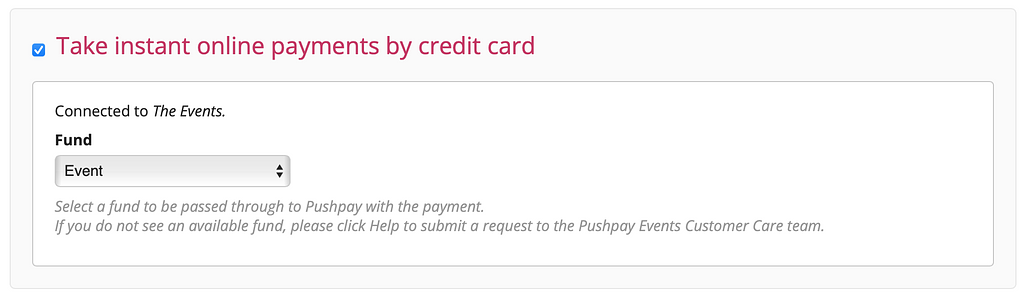
Credit card payments
Tick the “Take instant online payments by credit card” option, and then select the fund you'll be using:
Issue an invoice for payment
If you'd like people to pay after receiving an invoice from you, select that option and set your payment terms.
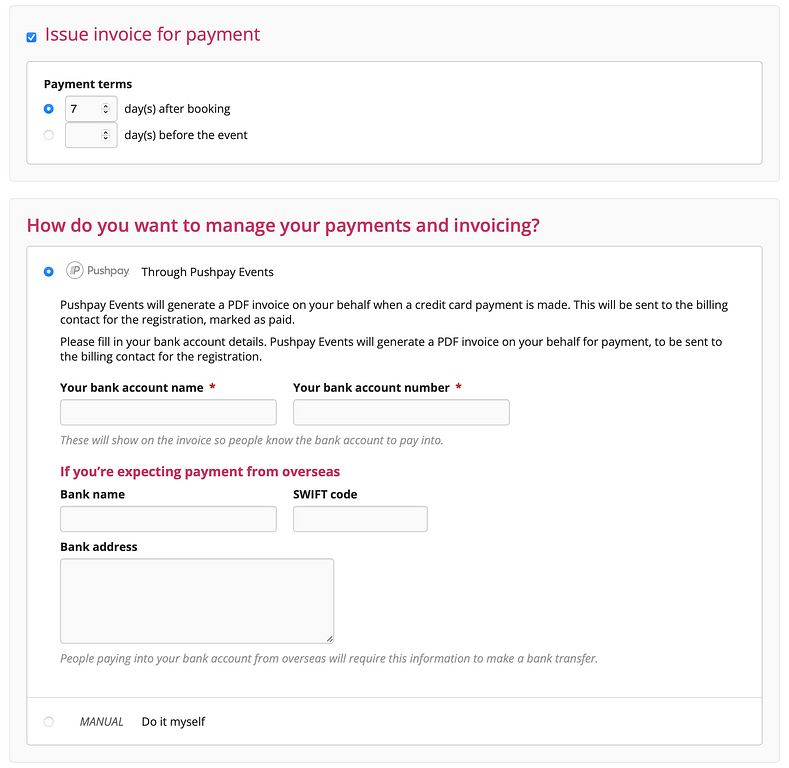
If you want us to send out invoices on your behalf, we’ll collect a little more information from you.
(Note that if you've selected the credit card option as well as "Issue an invoice for payment", we'll generate a paid invoice for the credit card payment.)
Then for everyone who registers and chooses to receive an invoice for payment, we'll send out a PDF invoice on your behalf as soon as they register.
And if you’d rather do all the invoicing yourself, we offer the ability for you to export all the data so you can create your own invoices.

You’re now ready to set the Terms and fine print for your event.